

Shipping price enquiry
The shipping price can be checked using the integration already at the sales stage. The price is based on the customer's address, the product weights, and the selected shipping method. You get the exact shipping price for the order immediately — anywhere in Europe. sekä valittuun kuljetustapaan. Saat siten tilaukselle kuljetuksen tarkan hinnan heti - mihin tahansa Euroopassa.
Transport/pickup booking
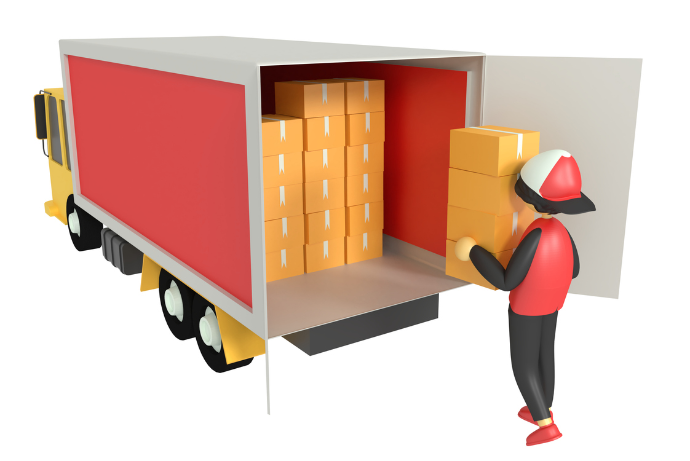
When packing the shipment, transport can be ordered with a single button. The transport details appear directly on the Odoo screen.
If the number of parcels changed or the type changed, you can update the order price before invoicing — if you wish.
Printing pallet labels
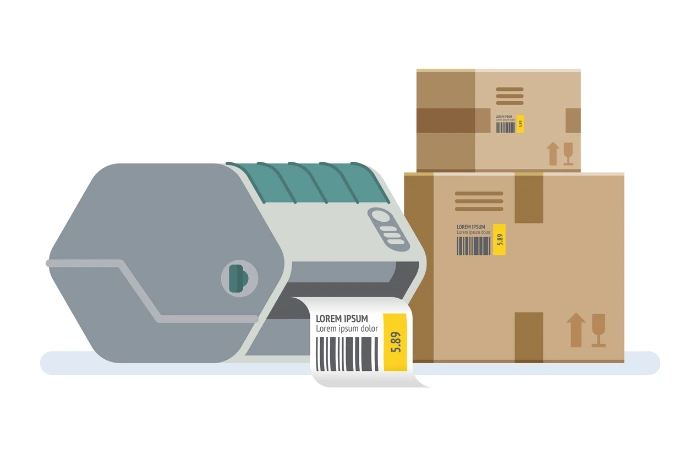
Labels can be pre-printed for a booked shipment. This speeds up parcel collection — the driver can scan them directly and confirm departure.
Shipment tracking
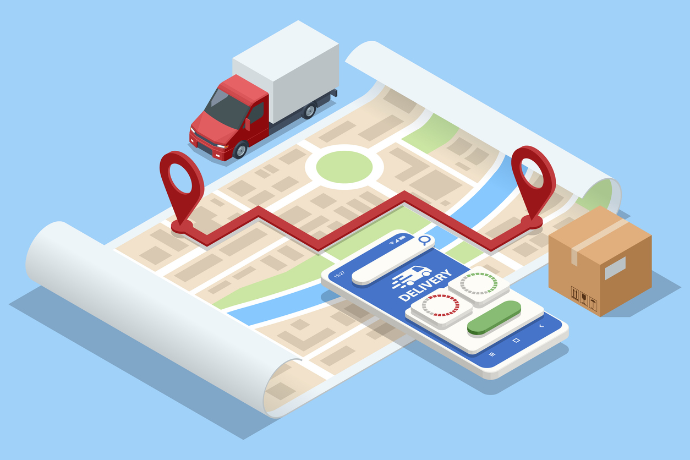
Shipments can be tricked with the tracking number, which you can easily also provide to your customers. .
Using the module:
Price enquiries for orders / quotes
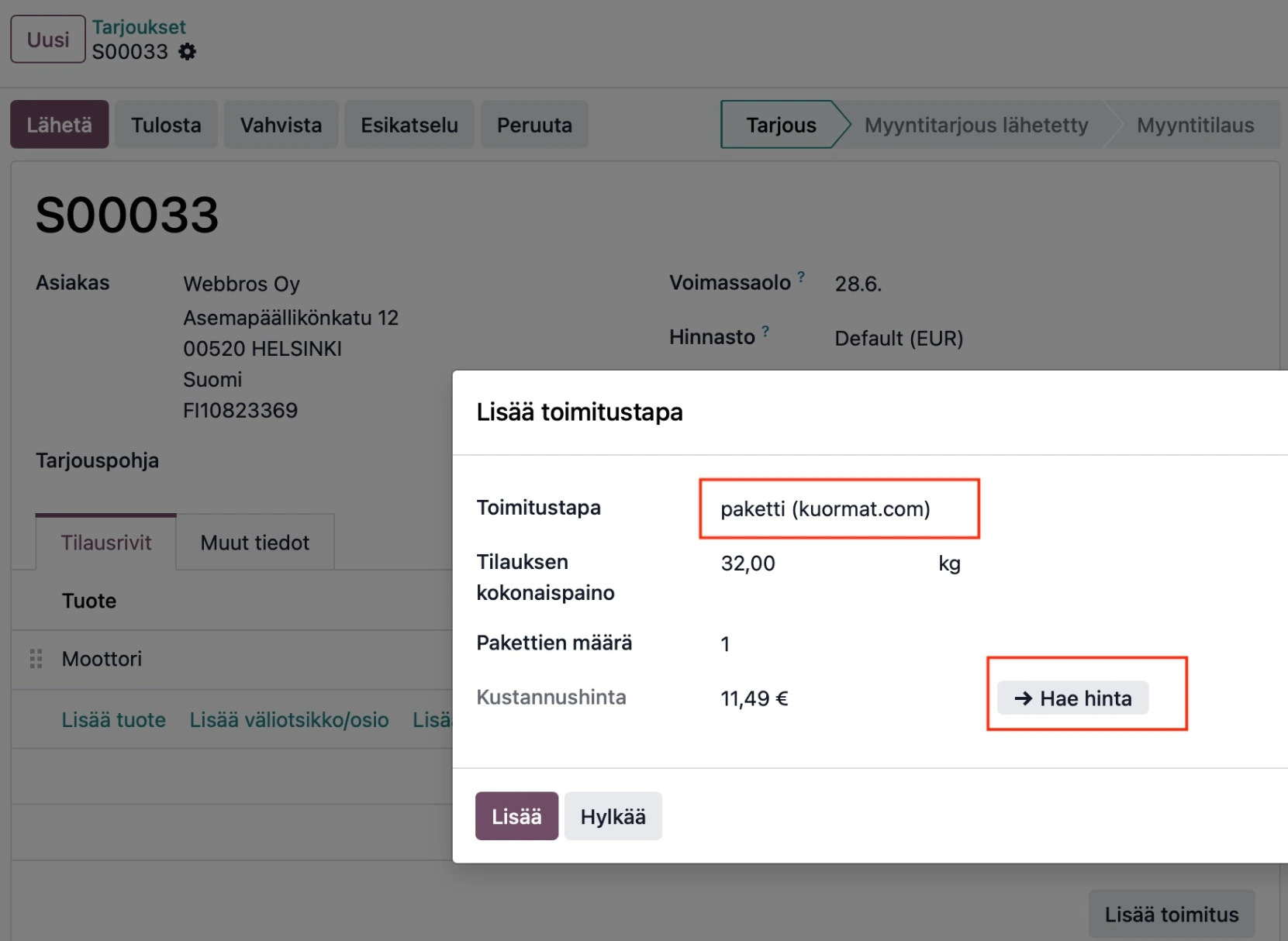
At the order stage, after entering the products, shipping costs are added using Odoo's standard Add shipping feature, which opens a wizard where you choose the delivery method. Here you select one of the previously configured Kuormat.com-integrated shipping methods (unless you prefer another).
The Get price button then fetches the shipping price from Kuormat.com for the customer's address and the product weight on the order. You can add your own margin or fixed markup to this carrier cost, just like any other shipping method.
For certain shipping methods such as parcels, there are maximum weight limits, and the price enquiry will warn if these are about to be exceeded. You can then increase the number of parcels to bring the weight per package down — and the total shipping costs may rise accordingly.
Booking a shipment for a delivery
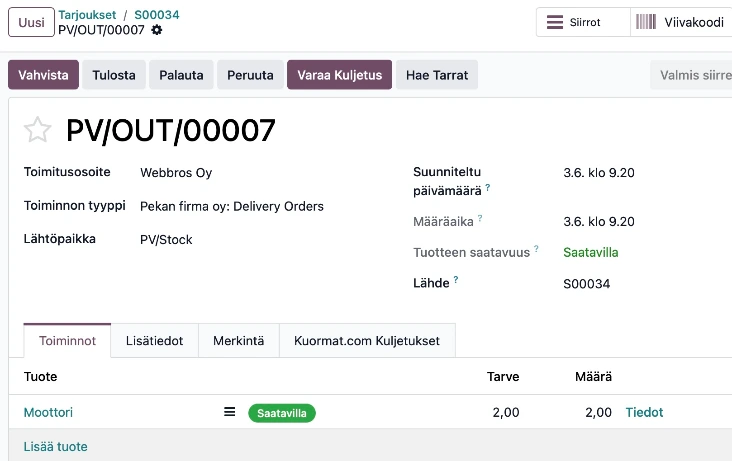
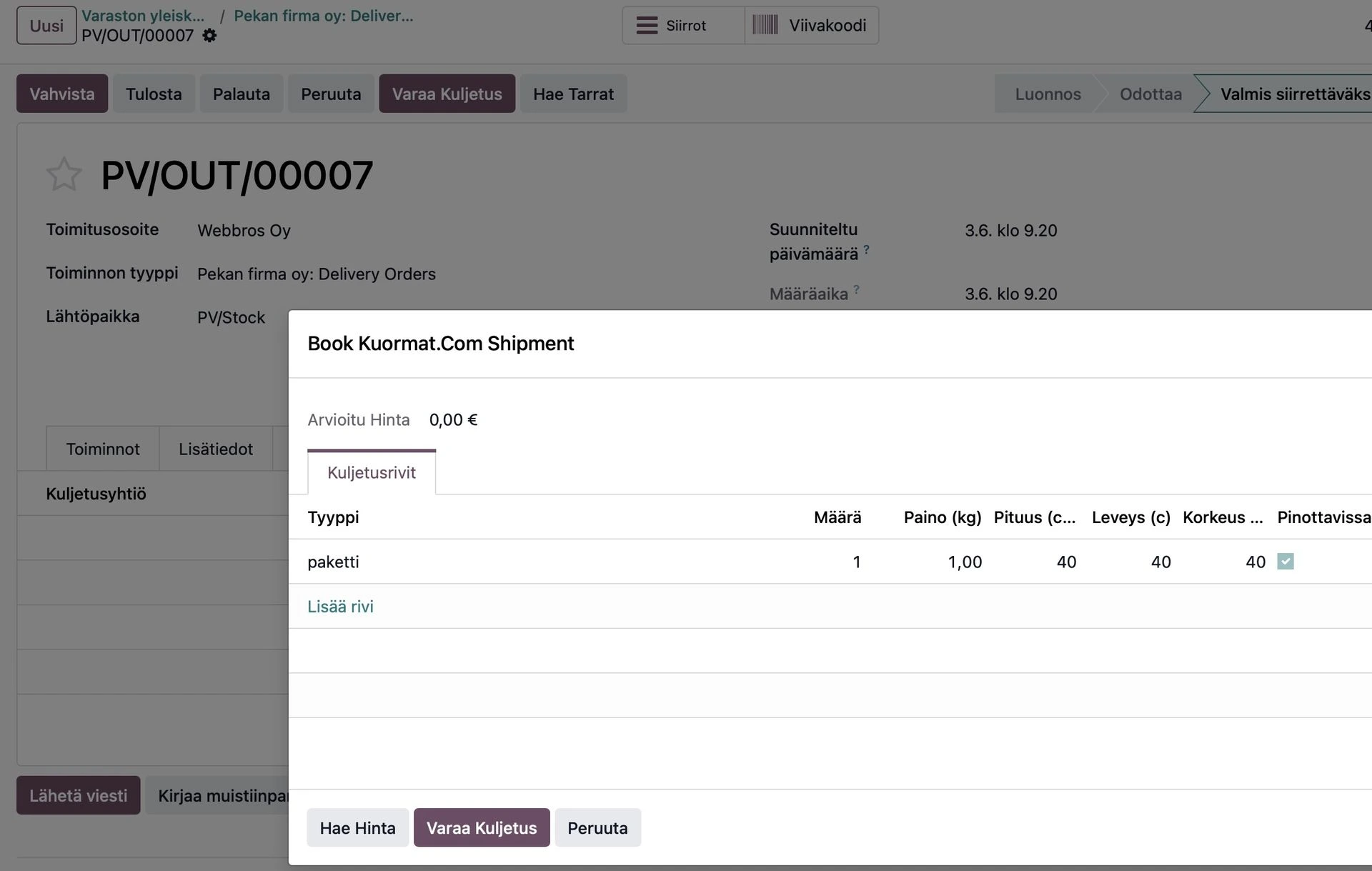
The delivery has a new action button Book transport, which is used to place the actual transport reservation.
By default, the shipping method selected at the order stage is used (e.g. parcels or EUR-pallet), but you can still change it and see how it affects the price. Parcel dimensions can also be updated, as well as stackability — both of which affect the price in certain cases. You can also add more than one parcel, and they can be of different types (e.g. pallet + parcel).
When the transport details are correct, you can complete the actual booking with a single button. If it was already clear from the start that the shipment would take one euro-pallet, no details need to be entered at all — the booking can be made immediately.
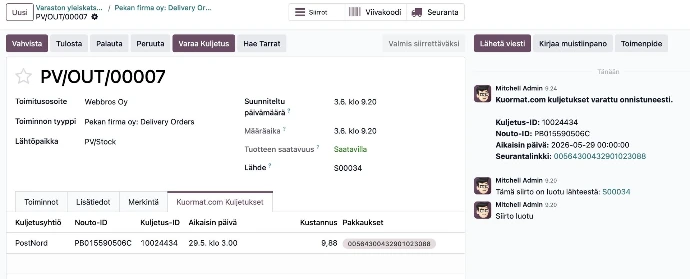
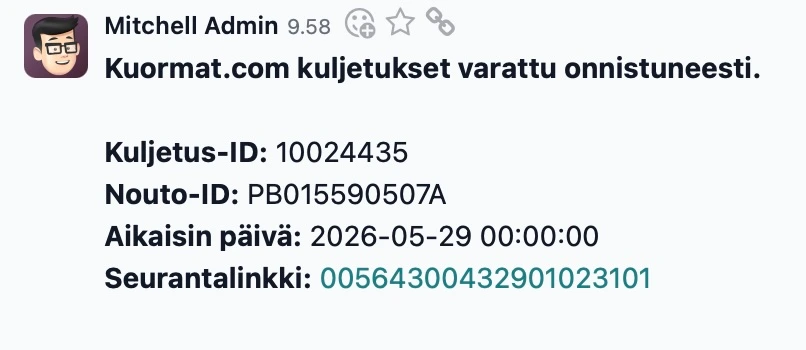
A successful booking is shown on-screen and in the chatter.
Pallet labels
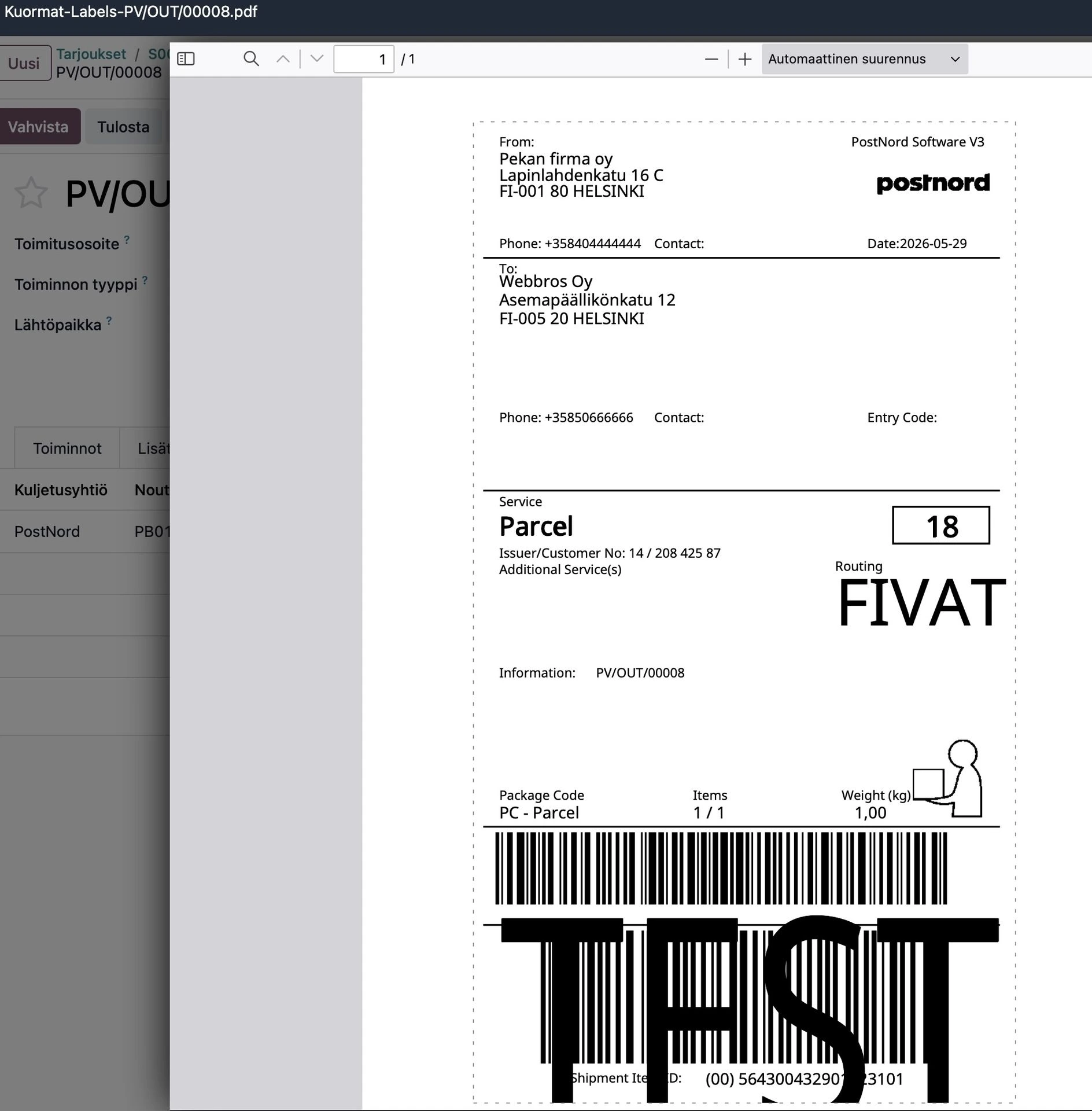
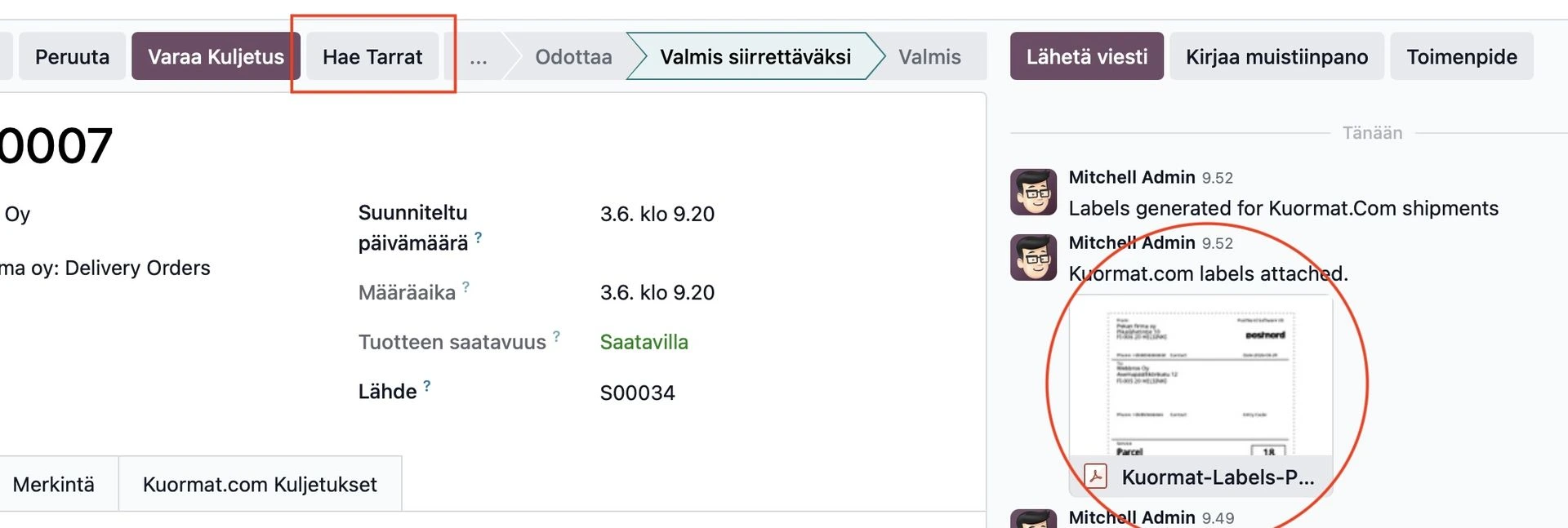
Labels for the parcels can be obtained with the Get labels button. Labels come as PDF files and appear in the chatter, from where they can be opened and printed out.
Tracking links
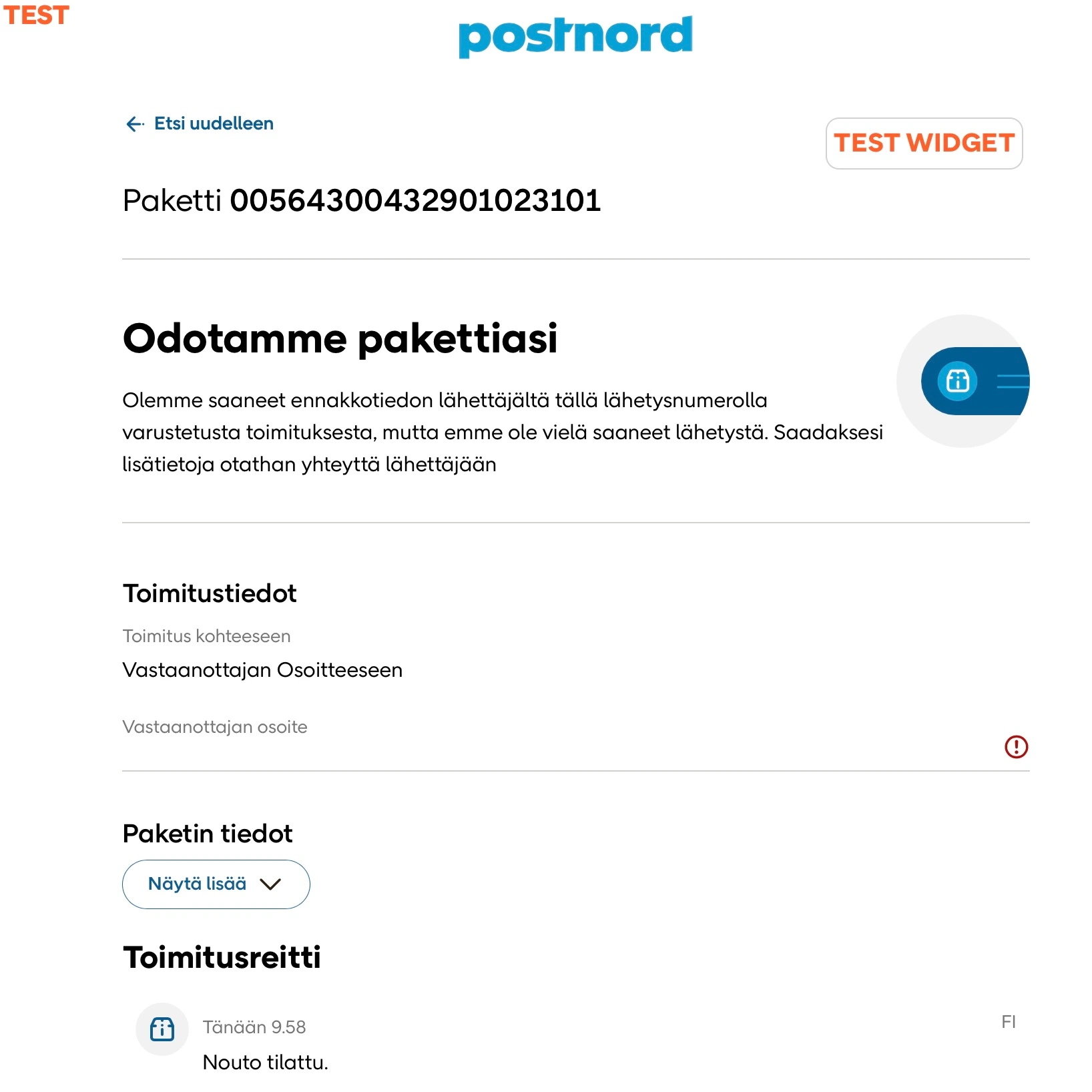
The shipment and its parcels receive tracking links through which the progress of the delivery can be followed. The link is visible in the chatter and also in the details of each parcel.voi seurata. Linkki näkyy chatterissä, ja myös kuljetuksen jokaisen kollin tiedoissa.
The link can also be added to the delivery notification sent to the customer (by email). These message templates are usually company-specific, so this must be configured individually per company. Webbros oy is happy to help with this setting too, if it is not straightforward. .
Odoo configuration
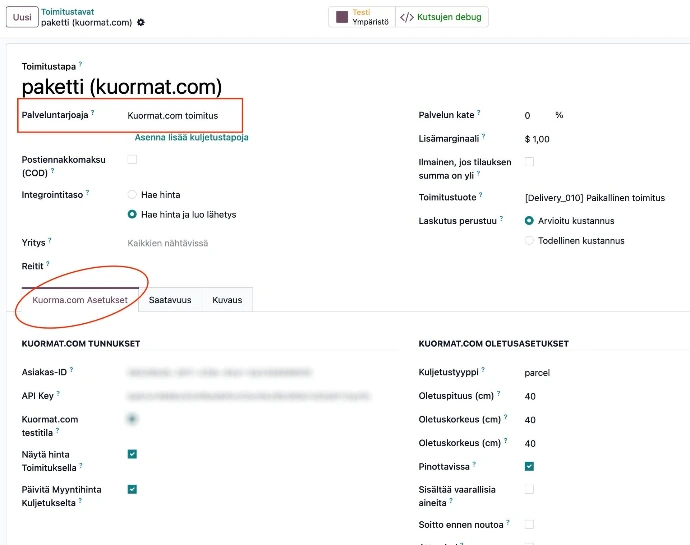
After installing the module, one or more Kuormat.com delivery shipping methods must be added in the inventory module's delivery methods. A separate tab Kuormat.com settings will appear at the bottom of the screen for this provider, where all settings are configured.
The most important choice is which transport type is linked to this shipping method. Additional settings — such as pre-defining the default parcel size — avoid re-entering the same data for every order. Multiple parallel shipping methods can be created as needed.
FAQ
Some common questions answered. If your question is not on the list then feel free to use the contact form below and
ask anything you want!
In the ideal case, nothing other than the shipping method — i.e. whether the goods are packed on pallets or in parcels. Odoo automatically knows the sender and recipient address from the order, and the product weights, as long as they are properly maintained. No other information is needed.
In practice, situations may arise — especially with unusual products — where it is not possible to know at the sales stage how many parcels the goods will require. Even then you don't have to rely on just an estimate: you can wait until the shipment is being packed and update the price at that point. This makes particular sense if you have agreed with the customer on pricing based on actual costs.
If the transport is impossible — for example a 200 kg parcel — the user will be notified. The order can then be split into several smaller parcels and the price calculated for the required number.
If product weights are missing, the delivery pricing will treat them as zero and produce an underweight booking.
The correct solution is to update the weights properly — ask Webbros for tips if this is difficult. If the data exists in a CAD program or from a supplier, it can be imported using various techniques
As a workaround for price enquiries, you can enter a weight manually if you know it from experience. For pallet shipments the weight limit is often high enough that the exact weight does not change the price, so missing data may not matter much.
For the actual shipment, weights can also be obtained via scales. Odoo supports an IoT box that connects devices such as scales directly, so the reading can jump automatically from the device to the Odoo screen. Ask Webbros how this is set up!
Of course they can. To keep things easy, a default parcel size is stored per shipping method, so it does not need to be entered each time. But if the size varies, dimensions can always be entered separately for each delivery.
If the dimensions exceed the carrier's limits, the booking will immediately give a warning — impossible requests cannot be submitted. The same applies to weight.
Labels are not physical stickers — they come as PDF files. Printing them on regular A4 paper means taping them to the parcel, which can feel cumbersome.
Beyond scissors and tape, other options exist. Some use plastic sleeves that also protect against rain. Others load A4 or A5 label paper with a pre-applied adhesive into the printer. Zebra printers can print PDFs directly and can be connected to Odoo via an IoT box.
You can also discuss all of these options with Webbros experts.
PostNord has approximately 2,600 pickup points in Finland — roughly the same as Posti — and shipments can be directed to them as well.
Contact Webbros to enable this feature; it is not available in the basic version at this time.
Every parcel gets its own tracking number, visible in the chatter. The delivery's tracking button opens the tracking page in a browser, so you can follow the shipment right through to the customer — from your own screen. But how does the customer see it?
A message can be triggered from the delivery to the customer and the tracking number included. These message templates are usually already customised for each Odoo installation, so the addition must be made individually. We at Webbros help with this too.
Did you know that delivery notifications can be sent not only by email but also as SMS or WhatsApp messages?
Webbros oy can provide assistance both setting up the integration for this module, or even to assess and design the whole supply chain, if getting this module runs into challenges.
Getting it running
Register to Kuormat.com
Go to the kuormat.com website and create an account for yourself or your company.
You can immediately start ordering shipments via the browser. At this stage you will have to enter each booking manually.

Get Odoo and this module
If you do not already use Odoo, order it at your first convenience from Webbros!
Otherwise, simply download this module — it is free!
Activate API-keys
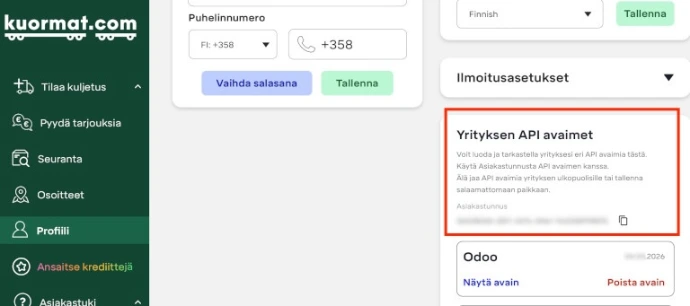
API keys act as a parallel set of credentials for the Kuormat.com service and can be found in your profile settings.
Create an API key and save the code. You will also need your customer ID.
Configure shipping methods
Create new shipping methods in Odoo's inventory module, enter the API credentials, and fill in the remaining settings as you wish.
If you get stuck, call Webbros.

Webbros support
If you face issues using this module, feel free to contact Wrbbros experts by filling the contact form here!.
Asemapäällikönkatu 12, Helsinki
Webbros support
If you face issues using this module, feel free to contact Wrbbros experts by filling the contact form here!.
Asemapäällikönkatu 12, Helsinki